Bulk Ad Hoc orders are in general placed to make up for shortfalls in general stock, e.g. A large amount of Damaged Stock, or if a large future demand for a specific item has been recognised.
NOTE: A Bulk Ad Hoc Order can ONLY be placed by a Wearer who has an Ad-Hoc Bulk ordering link available as per Figure 1 below.
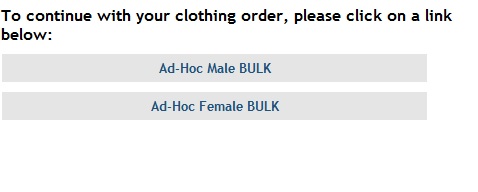
Figure 1 - Ad Hoc Bulk ordering option (specific to user, if available)
To place an Ad Hoc Bulk order do the following:
1/ Click on one of your Ad-Hoc Bulk links, if available, as in Figure 1, then continue to place the order as normal as you would any other order, clicking on the ‘Proceed To Confirmation’ button where you will get taken to the ‘Place Ad Hoc Order’ page rather than the normal ‘Order Confirmation’ page, as in figure 2 below.
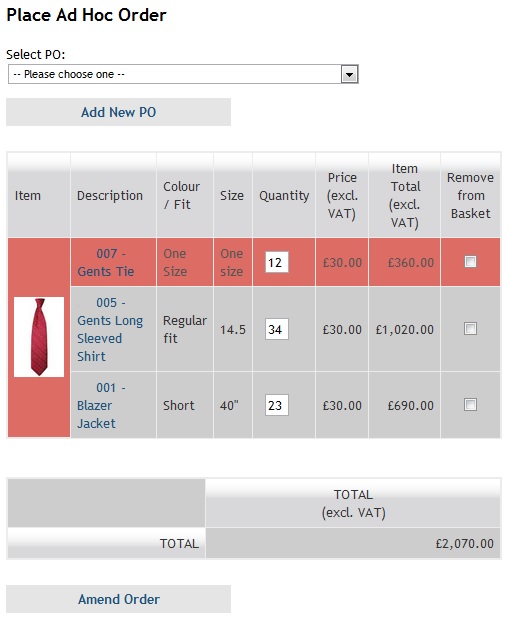
Figure 2 - Place Ad Hoc Order page
2/ Select the PO that you wish to place the Ad Hoc Order against.
- NOTE: If there isn’t a PO that you wish to place the order against, or there are not PO’s then, click on the ‘Add New PO’ order as in figure 2.
3/ If required amend the order as required, or to take the value of the order below the value remaining of the PO selected.
4/ Once adjusted as above, and it is possible to place the order, the ‘Place Ad Hoc Order’ button will appear allowing you to place the order, as in figure 3 below.
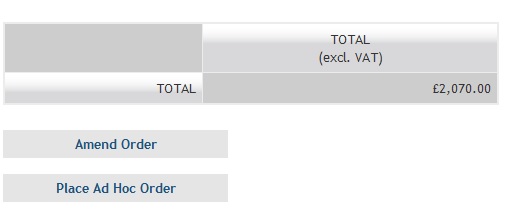
Figure 3 - If value of order is below remaining value on PO, Place Order button appears
0 Comments