Sometimes after having been using the web site successfully for a while you get a web site not available message. This could be because you need to log in again. This is a 2 step process:
- Clear your cached Web Site Browser information as follows:
- Laptop / Computer
- iPad - NOTE the site is not designed to work on an iPad, and may not work properly, therefore you should ideally use a laptop
- You may then need to just Refresh the classroom page on your Browser. To do this on:
-
- Chrome and Windows:
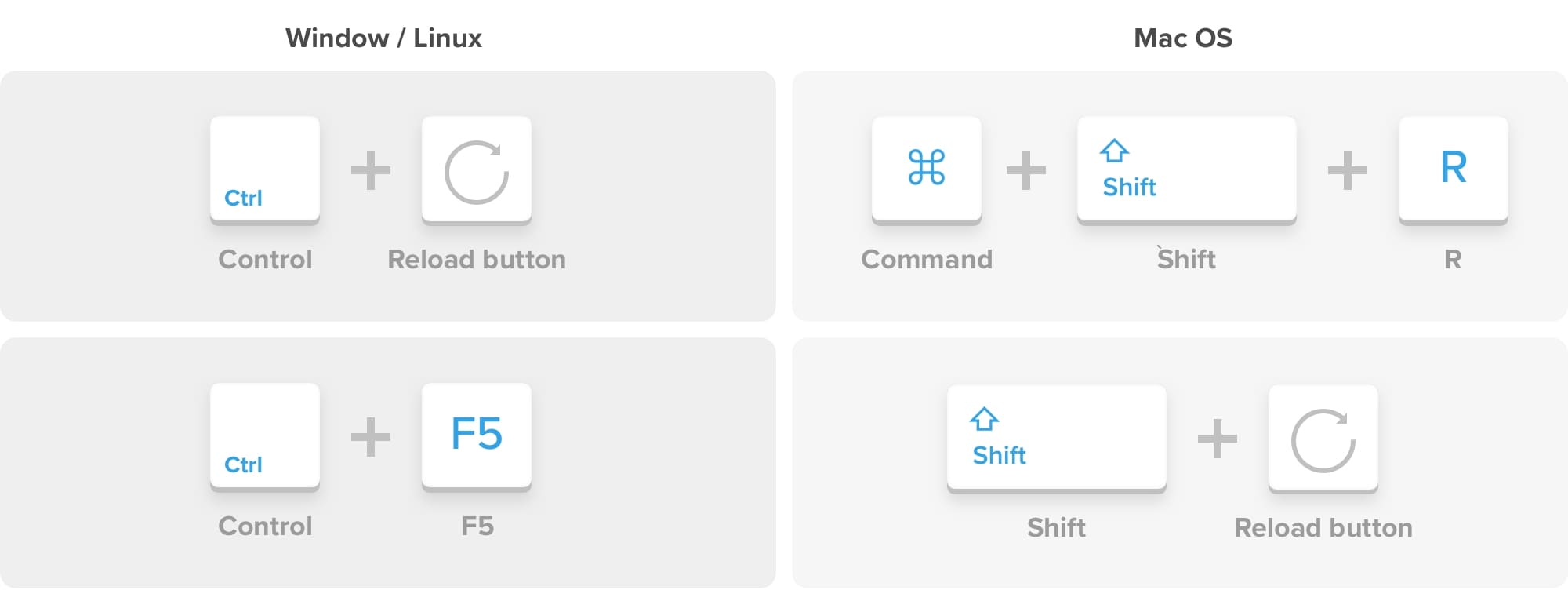
- To hard refresh on Google Chrome on Windows, there are two ways you can do it:
- Hold down Ctrl and click the Reload button
- Or Hold down Ctrl and press F5
- To hard refresh on Google Chrome on Windows, there are two ways you can do it:
- Chrome and Mac:
- To do a hard refresh on Google Chrome on Mac, there are two ways that you can do it:
- Hold down Shift and click the Reload button
- Or Hold down Command, Shift and click the ‘R’ key.
- To do a hard refresh on Google Chrome on Mac, there are two ways that you can do it:
- Chrome and Windows:
0 Comments